
Connect CodeBuddy
Overview
CodeBuddy Code (@tencent-ai/codebuddy-code) is Tencent Cloud's terminal AI coding assistant. It supports any OpenAI-compatible endpoint through a models.json configuration file. Wuliang Open AI provides a fully OpenAI-compatible API that can be set as CodeBuddy's custom model backend.
Prerequisites
- Node.js installed (v18 or later recommended)
- An API Key created on the Wuliang Open AI platform
Configuration Steps
1. Install CodeBuddy Code
npm install -g @tencent-ai/codebuddy-code
codebuddy --version   # verify installation
2. Get Your API Key
Log in to the Wuliang Open AI console and go to Application Management → API Key Management to copy your API Key.
3. Edit models.json
Locate and edit the following file for your operating system (create it along with parent directories if needed):
| OS | File Path |
|---|---|
| macOS / Linux | ~/.codebuddy/models.json |
| Windows | C:\Users\<username>\.codebuddy\models.json |
Write the following content, replacing your-api-key with your API Key and the model ID with the desired model code:
{
  "models": [
    {
      "id": "gpt-5.5",
      "name": "GPT-5.5",
      "vendor": "Wuliang Open AI",
      "apiKey": "your-api-key",
      "url": "https://open.dieyuyun.com/v1"
    }
  ],
  "availableModels": ["gpt-5.5"]
}| Field | Description |
|---|---|
id | Model code — must match the value in availableModels |
name | Display name — any descriptive string |
vendor | Vendor name — any descriptive string |
apiKey | Your Wuliang Open AI API Key |
url | OpenAI-compatible base URL |
availableModels | List of enabled model IDs |
4. Launch and Switch Model
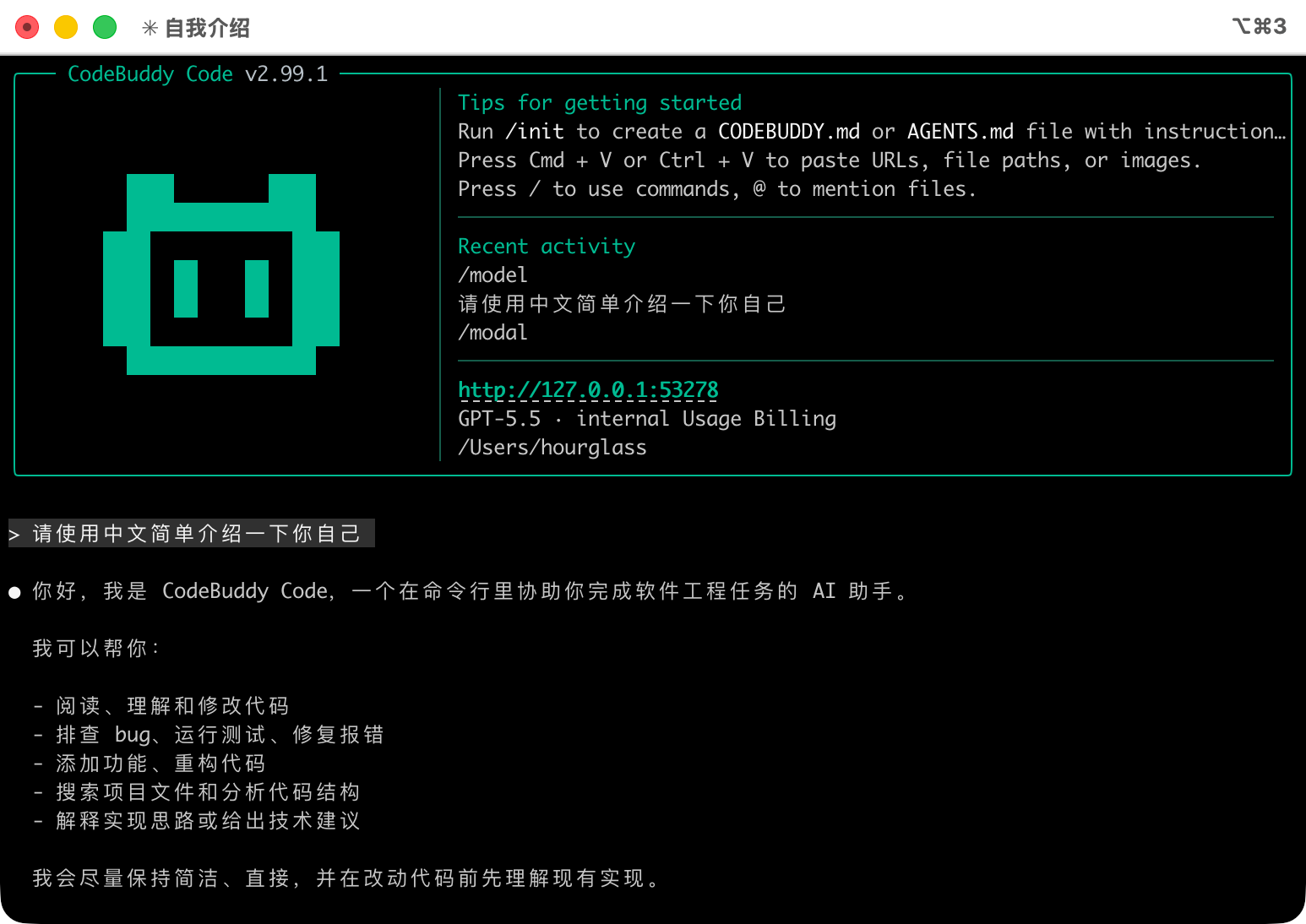
codebuddyComplete the browser-based authorization, then type /model inside the session to switch to your configured custom model.
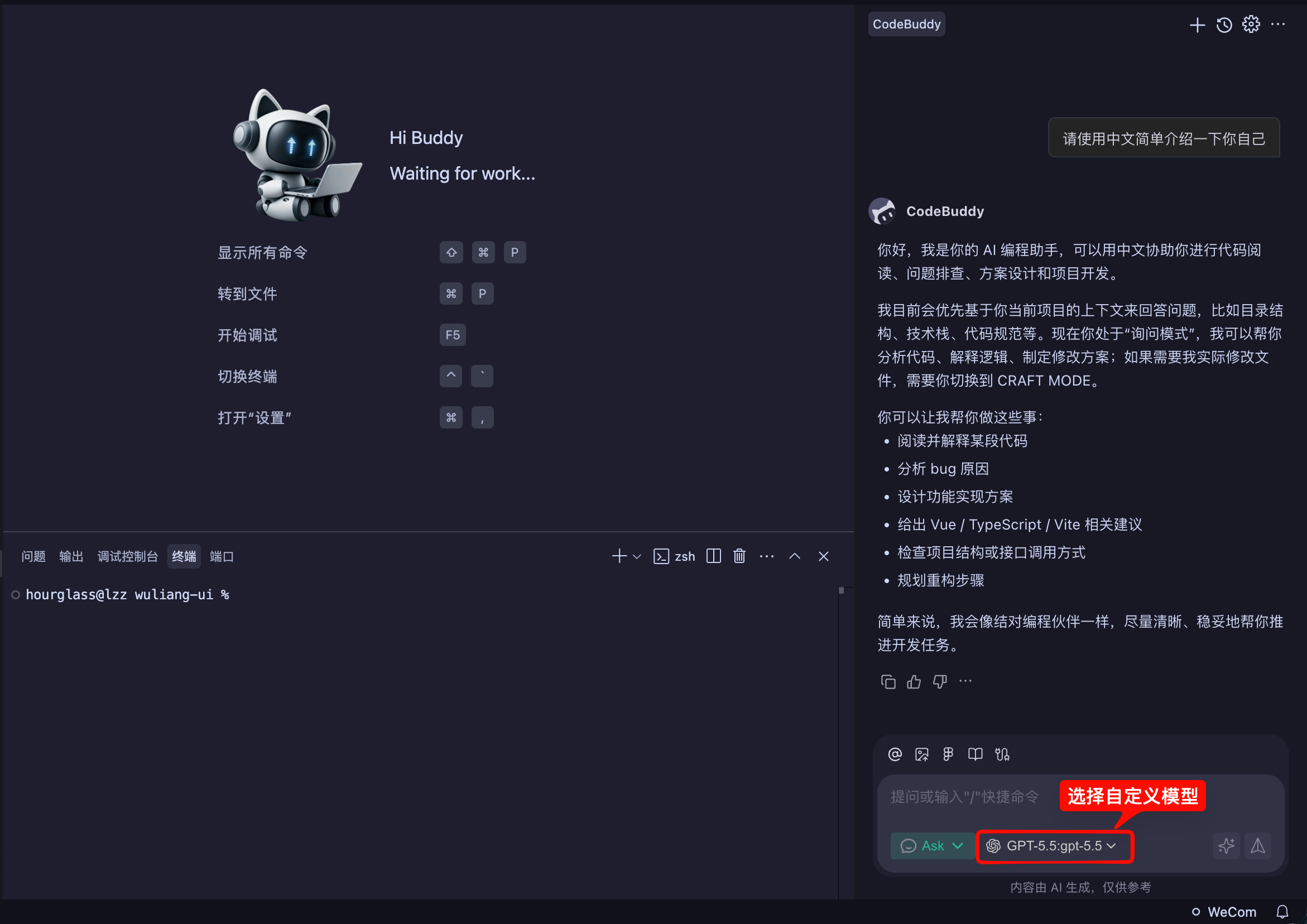
Once models are configured in the models.json file above, the CodeBuddy desktop IDE automatically syncs and displays the configured models — simply select one to start using it:
API Endpoint Reference
Wuliang Open AI OpenAI-compatible endpoint details:
| Field | Value |
|---|---|
| Base URL | https://open.dieyuyun.com/v1 |
| Auth Header | Authorization: Bearer your-api-key |
| Format | JSON |
Example request:
curl --request POST 'https://open.dieyuyun.com/v1/chat/completions' \
  --header 'Authorization: Bearer your-api-key' \
  --header 'Content-Type: application/json' \
  --data '{
    "model": "gpt-5.5",
    "messages": [
      {"role": "system", "content": "You are a helpful assistant."},
      {"role": "user", "content": "Introduce yourself."}
    ],
    "temperature": 0.7,
    "max_tokens": 1024
  }'
Notes
- JSON Validity:
models.jsonmust be valid JSON — CodeBuddy will fail to load an invalid file. - Multiple Models: Add multiple objects to the
modelsarray and list all model IDs inavailableModels. - API Key Security: Do not commit
models.jsonwith your API Key to version control.
Related Docs
- Manage API Keys - Create and configure API Keys
- Models & Pricing - Browse available models and pricing
- API Reference - View the full API documentation