
Manage API Keys
Overview
An API Key is the credential used to authenticate requests to the Wuliang Open AI API. Each API Key is bound to a specific application and can be independently configured with:
- Capabilities — the API capability types the key is allowed to use (e.g., text generation, image generation)
- Model scope — the list of models the key can call
- Budget limits — daily / monthly spending caps
- Rate limits — Requests Per Minute (RPM) and Tokens Per Minute (TPM) caps
Create an API Key
There are 3 entry points for creating an API Key. All of them open the same creation drawer:
| Entry | Best for |
|---|---|
| API Keys management page | Centralized management — ideal for first-time or bulk key creation |
| App Detail — API Keys tab | Quickly creating a key for a specific app (the app is pre-selected) |
| Playground — API Key dropdown | On-the-fly creation while debugging models, without leaving the page |
Entry 1: API Keys management page
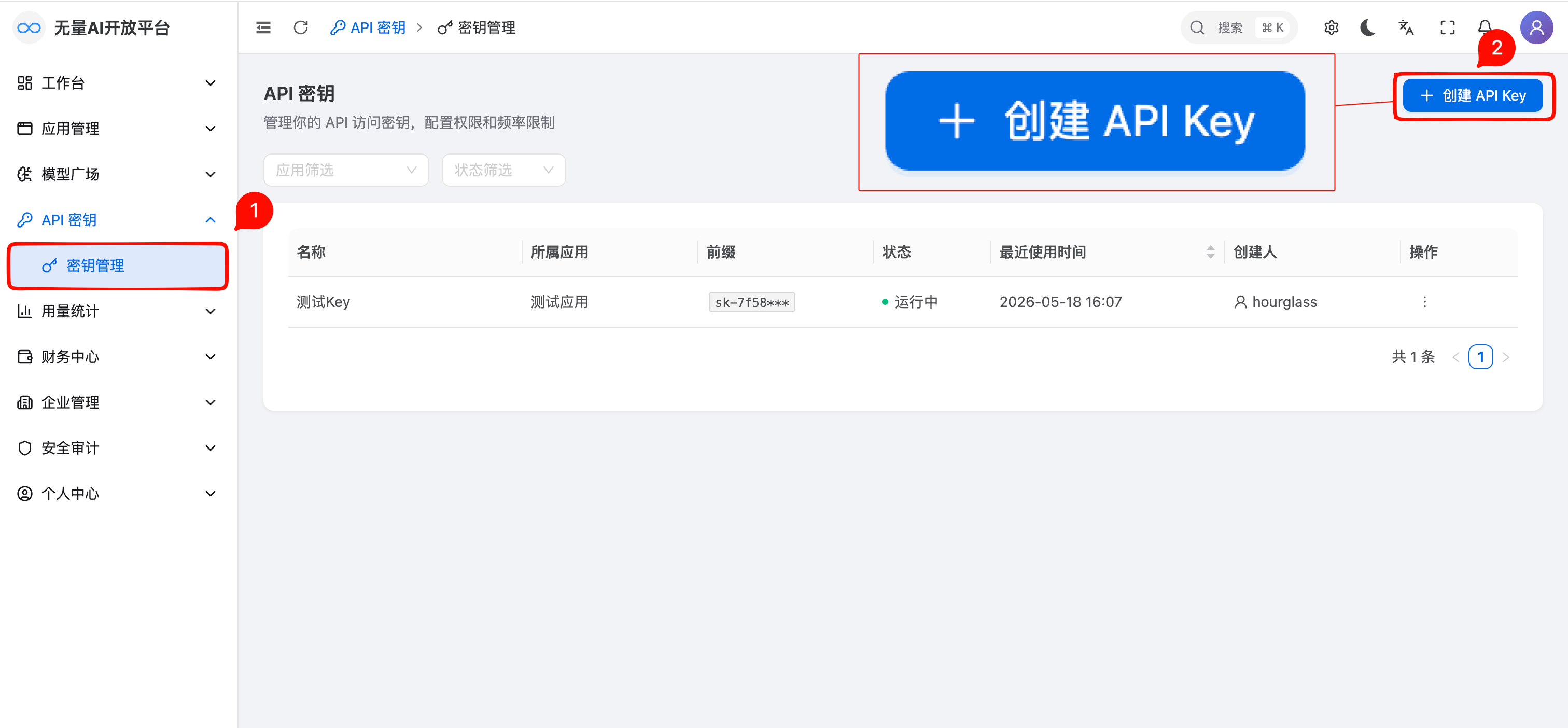
In the left sidebar, click API Keys → Key Management to open the API Keys list page.
Click the Create API Key button in the upper-right corner.
Entry 2: App Detail page
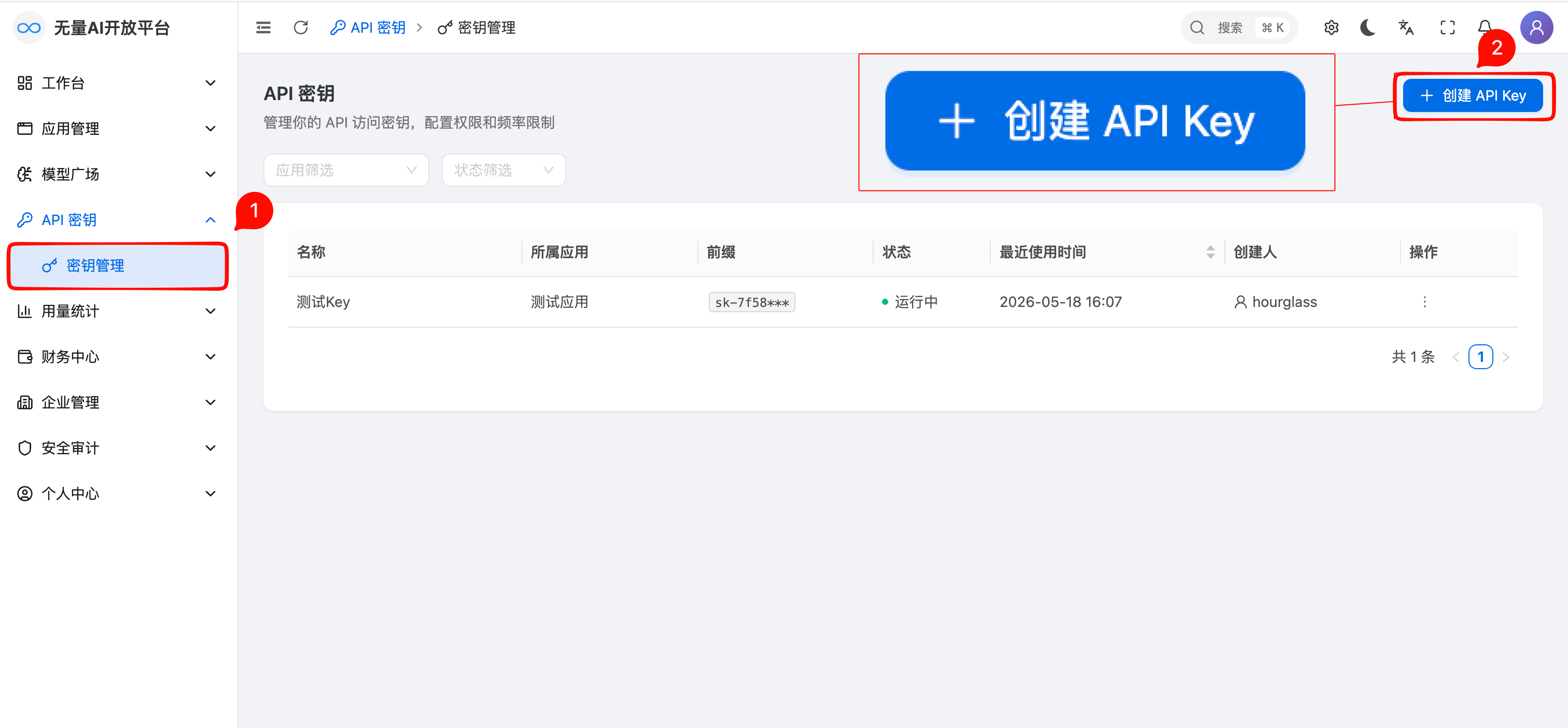
In the left sidebar, click Development → Applications, then click the target application to open its detail page.
Switch to the API Keys tab and click the Create API Key button in the upper-right corner. The Application field is pre-selected with the current app.
Entry 3: Playground
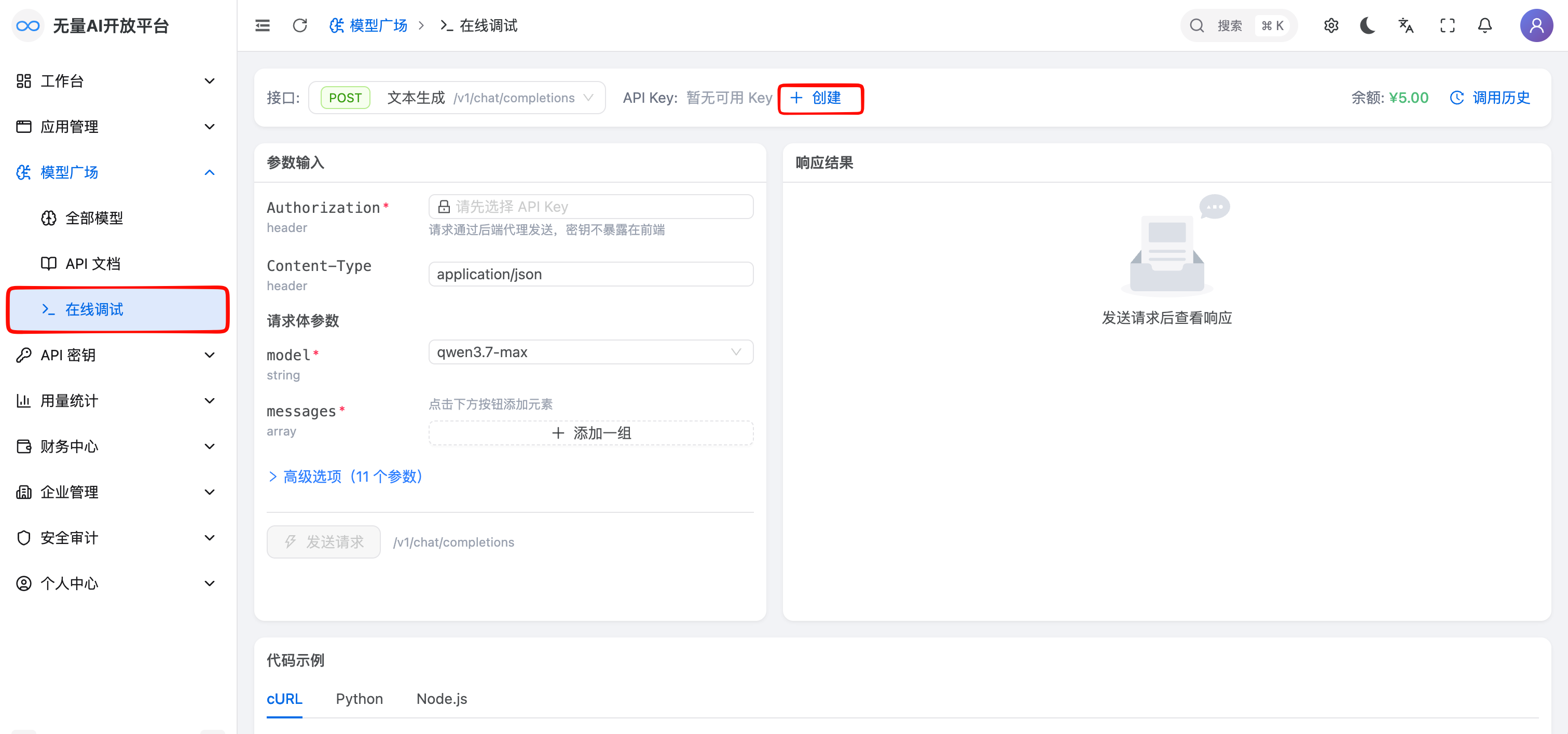
In the left sidebar, click Development → Model Square / Playground to open the online debug page.
Next to the API Key dropdown at the top of the page, click the Create link button.
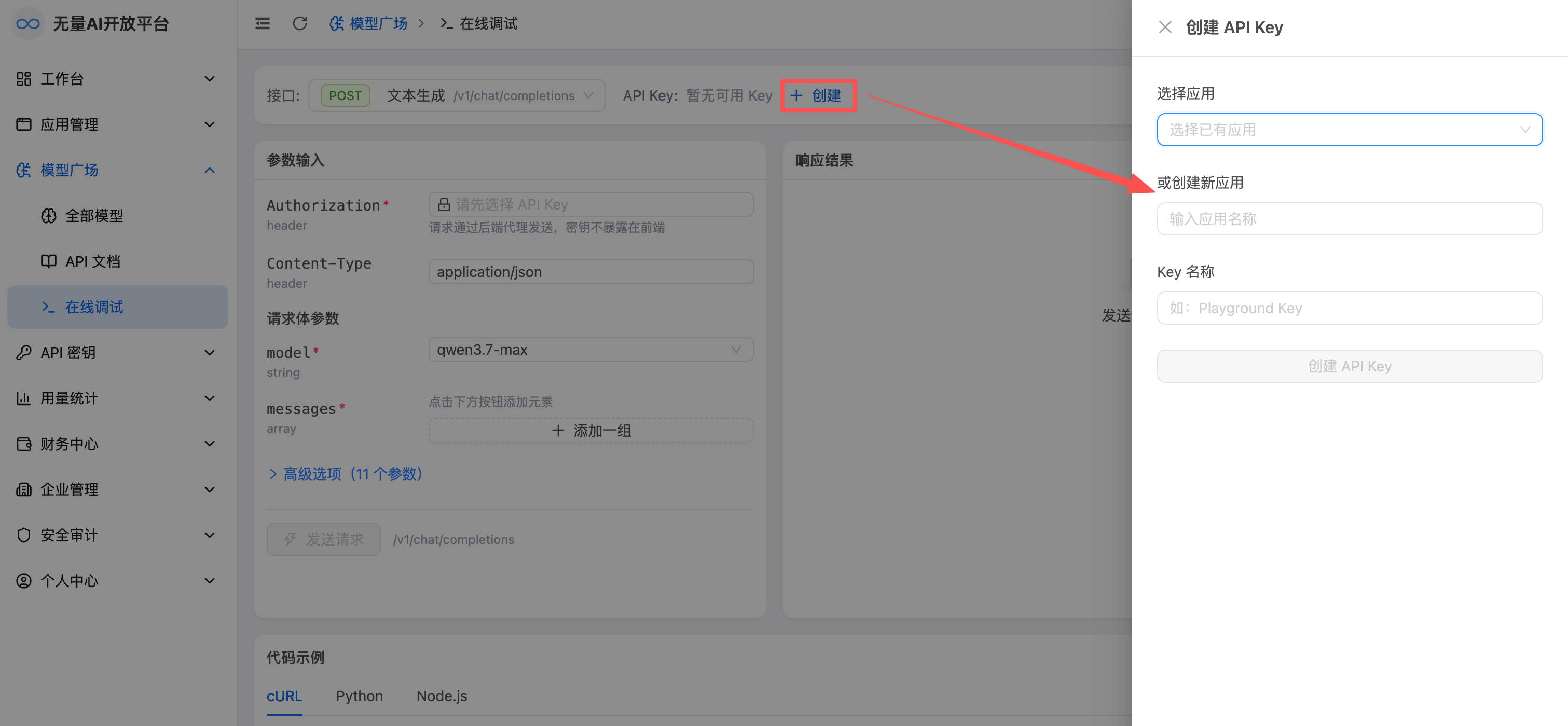
In the drawer that opens, select the target application. If you don't have one yet, you can type a name directly to create a new application inline.
Fill in key configuration
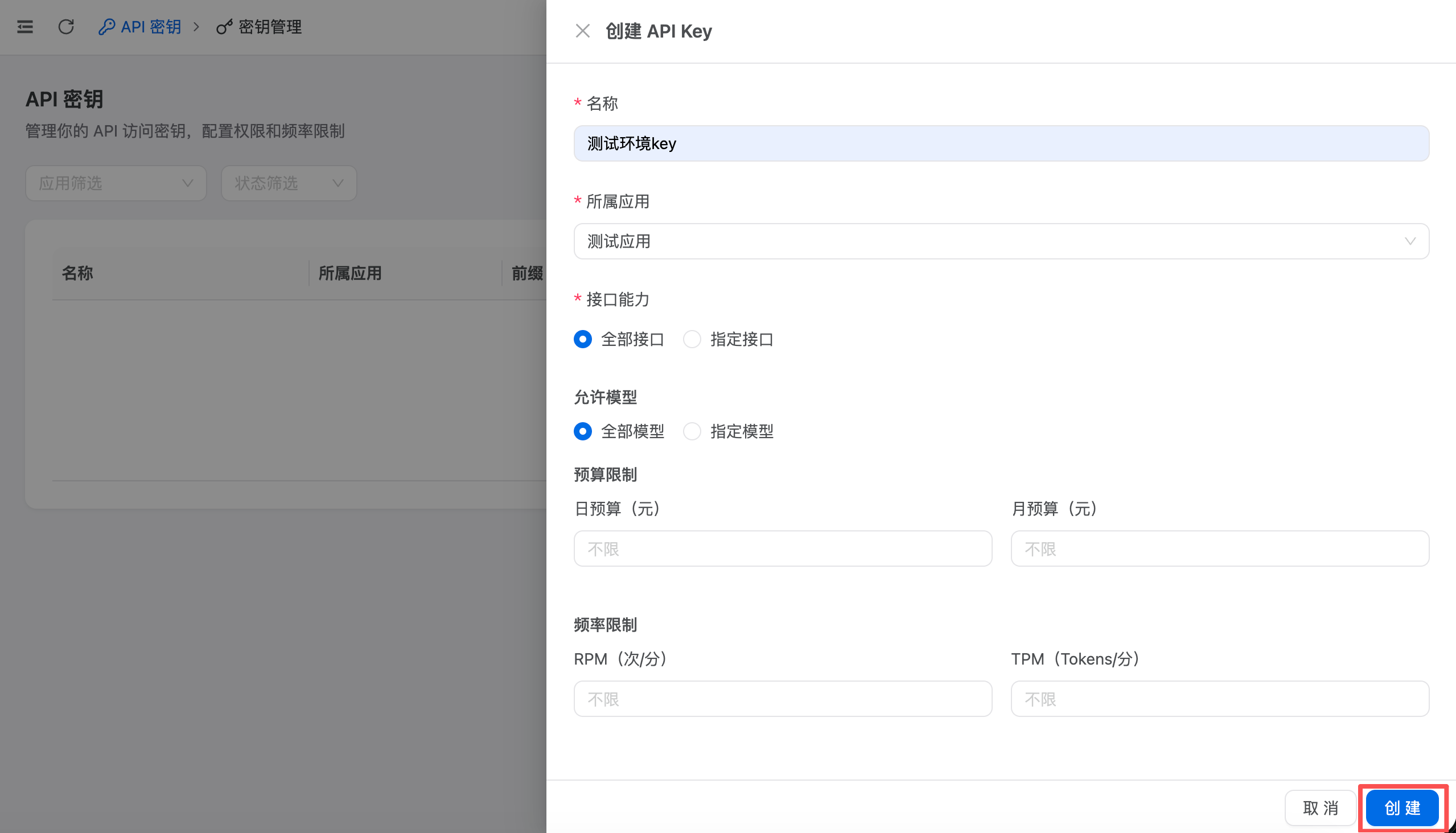
Regardless of which entry you use, the creation drawer has the same fields:
Basic information
- Application (required): the application the key is bound to; all usage is billed to this application.
- Key Name (required): a recognizable name such as
Production - Text Generation, 2–50 characters.
Capabilities
- Allowed capabilities: select the API capabilities this key can use, e.g., Text Generation, Image Generation, Embeddings, TTS, STT, Web Search.
Model scope
- Allowed models: choose All models, or specify a list of models.
Budget limits
- Daily / Monthly budget cap (optional): requests are rejected automatically once the cap is reached; leave unset for no limit.
Rate limits
- RPM / TPM limit (optional): maximum requests / tokens per minute; defaults to the system default when unset.
Complete creation
Click the Create button at the bottom of the drawer.
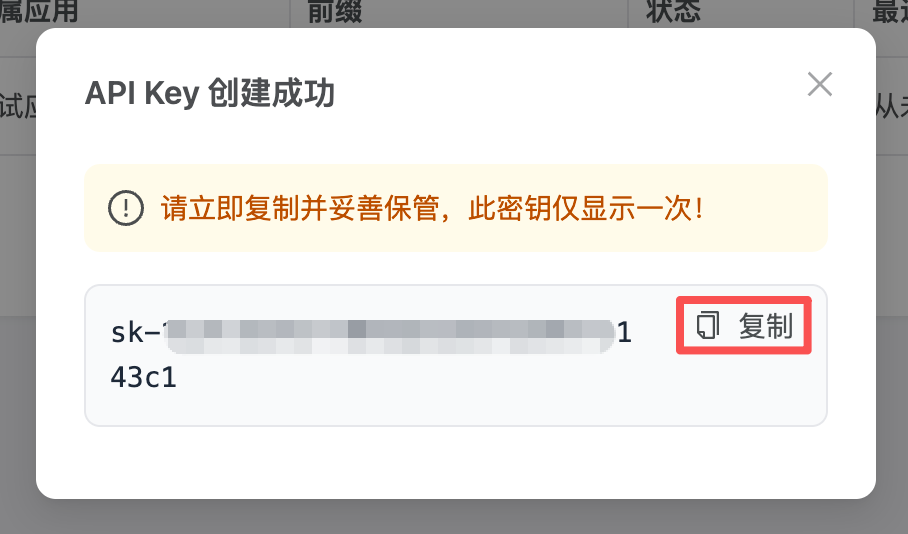
In the dialog that opens, click Copy and save the full API Key immediately.
Important: The full API Key is shown only once at creation time. If you lose it, you must delete the key and create a new one.
Manage existing keys
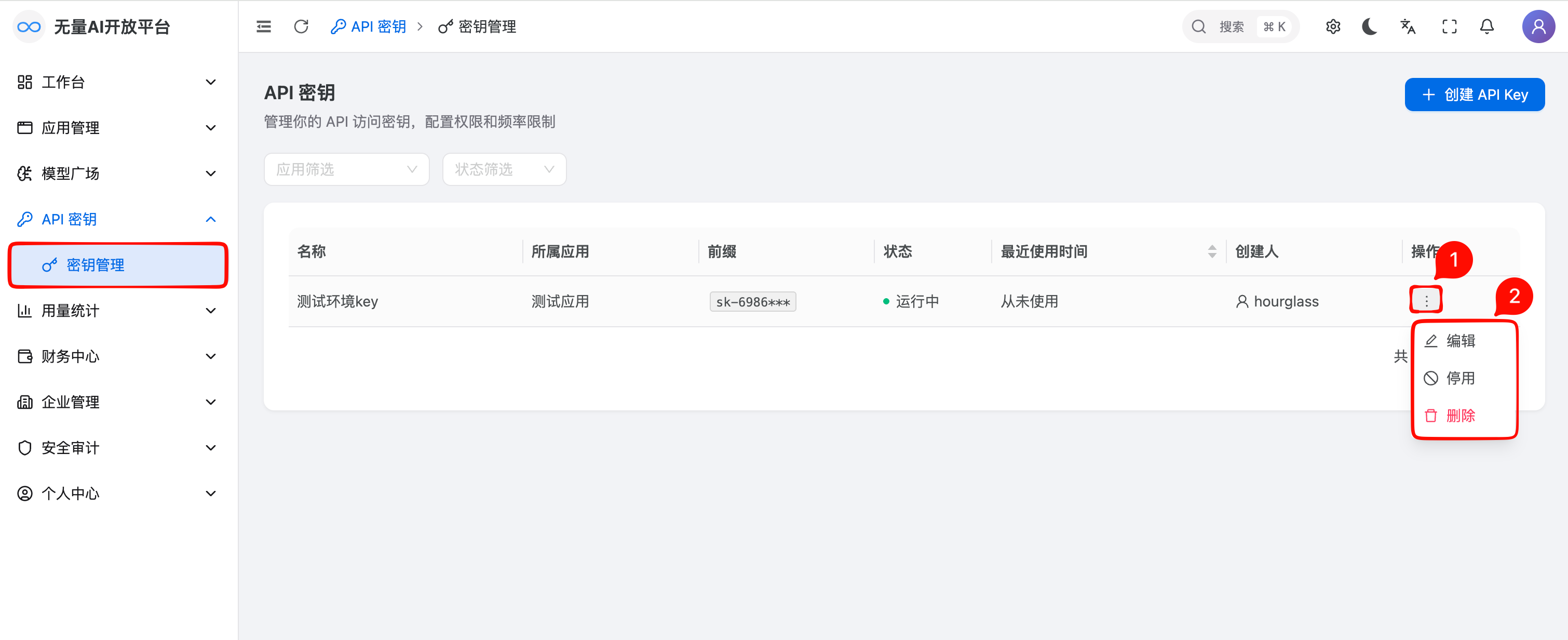
On the API Keys list page (sidebar → Development → API Keys), you can view, edit, enable/disable, and delete keys.
Edit: click Edit in the Actions column to update the name, capabilities, model scope, budget, or rate limits. Changes take effect immediately.
Enable / Disable: toggle the status switch. Once disabled, all requests using this key are rejected immediately, and it can be re-enabled at any time.
Delete: click Delete in the Actions column and type the key name to confirm. Deletion takes effect immediately and cannot be undone.
Notes
- Key security: an API Key is the only credential for calling the API. Never expose it in client-side code, public repositories, or any place others can access.
- Shown only once: the full key string is shown only once at creation. If lost, the only option is to delete and recreate.
- Disable vs. delete: prefer disabling (reversible) over deleting (irreversible) for temporary suspension.
- Budget limits: daily and monthly budgets are computed independently; whichever is hit first takes effect.
- Rate limits: per-key RPM/TPM cannot exceed the system cap; values above the cap are clamped to it.
- Key and application: every key must be bound to an application and cannot be moved after creation; to migrate, create a new key.
- Least privilege: grant only the minimum capabilities and model scope required.
Related documentation
- Create Application — set up an application before creating keys
- Application Detail — manage API Keys from the app detail page
- Make API Calls — start using your API Key to call the API
- Playground — test your API Key interactively
- Connect CC Switch — use your API Key in CC Switch and show balance / budget on the card