
Connect Trae
Overview
Trae is an AI-native IDE from ByteDance that supports custom OpenAI-compatible endpoints through its model management settings. Wuliang Open AI provides a fully OpenAI Chat Completions-compatible API that can be configured directly in Trae's custom model settings.
Prerequisites
- Trae IDE installed (download here)
- An API Key created on the Wuliang Open AI platform
Configuration Steps
1. Open Model Settings
In Trae IDE, access model settings via either:
- Menu bar: Settings → Trae AI → Model Management
- Chat panel: Click the model selector in the bottom-right corner of the chat panel, then select Add Model
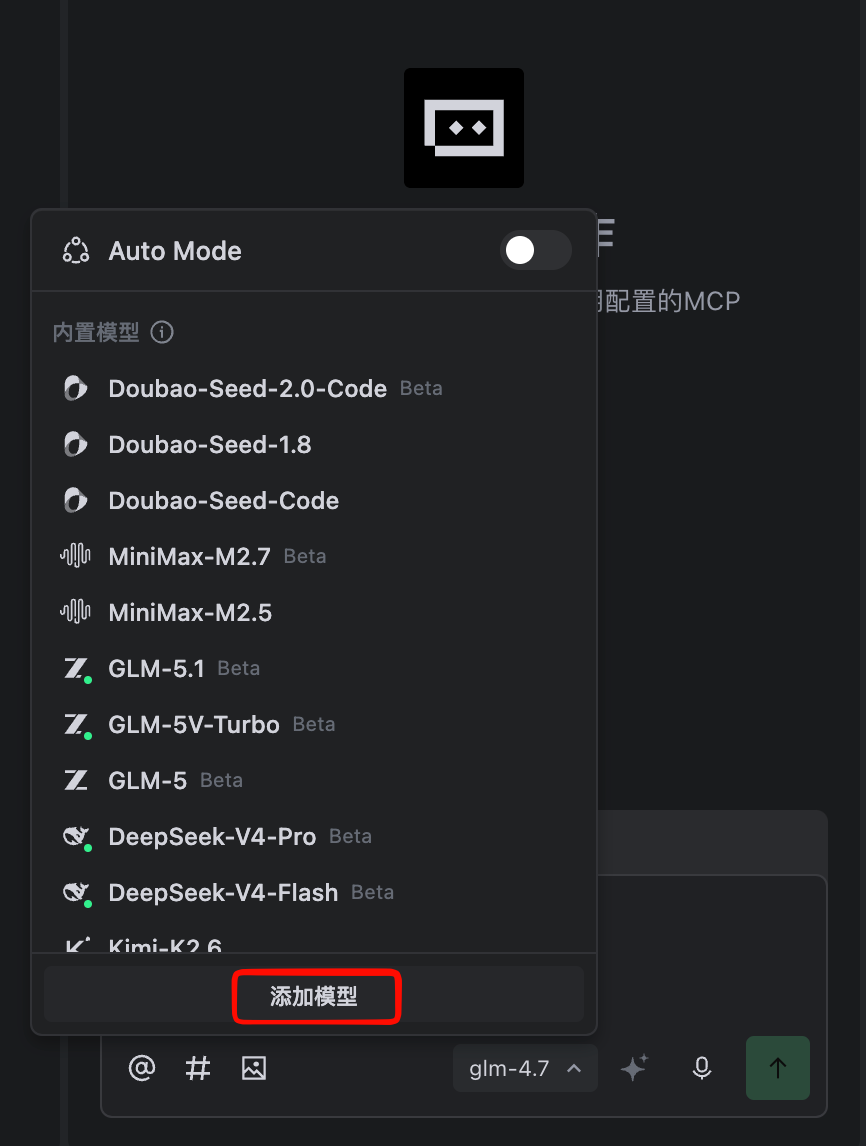
2. Fill in Custom Configuration
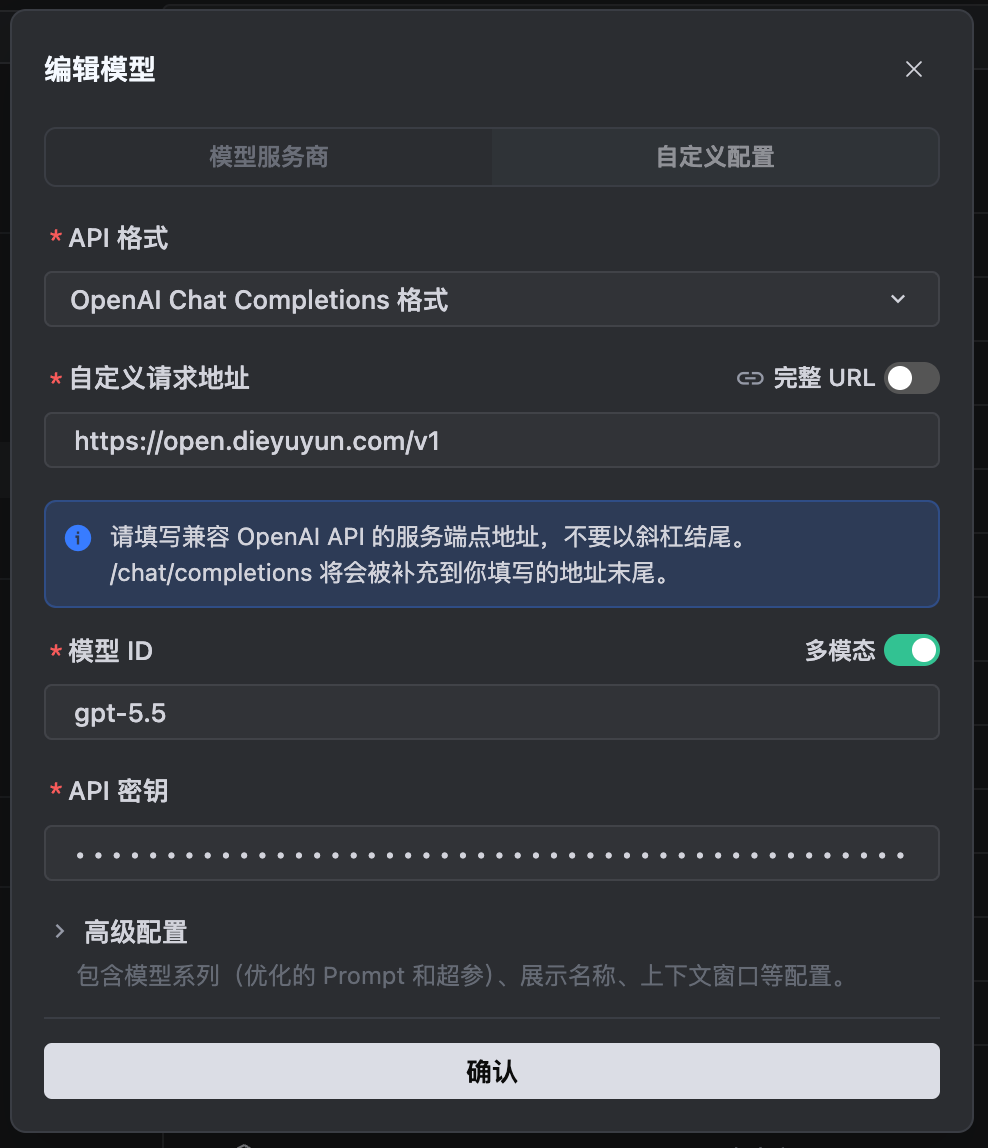
In the Add Model dialog, switch to the Custom Config tab and fill in the following:
| Field | Value |
|---|---|
| Protocol | OpenAI Chat Completions |
| Base URL | https://open.dieyuyun.com/v1 |
| Model ID | gpt-5.5 (or other available model code) |
| API Key | Your Wuliang Open AI API Key |
TIP
If there is a "Full URL" toggle next to the Base URL field, keep it off and enter only the base address without a path suffix.
3. Save and Verify
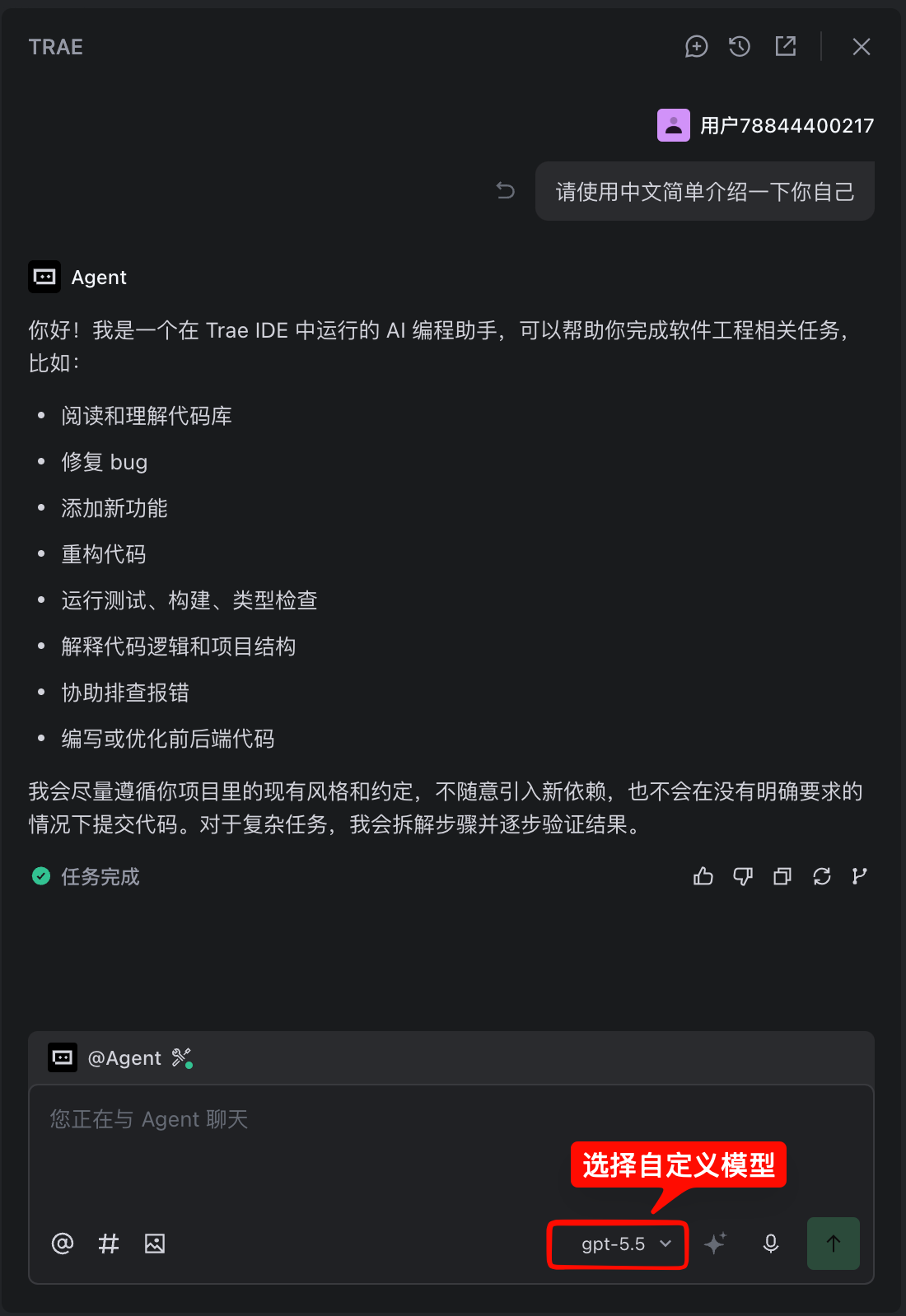
Click Add Model. Trae will automatically validate the connection. Once validated, select the newly added model in the chat panel's model selector to start using it.
API Endpoint Reference
Wuliang Open AI OpenAI-compatible endpoint details:
| Field | Value |
|---|---|
| Base URL | https://open.dieyuyun.com/v1 |
| Auth Header | Authorization: Bearer your-api-key |
| Format | JSON |
Example request:
curl --request POST 'https://open.dieyuyun.com/v1/chat/completions' \
  --header 'Authorization: Bearer your-api-key' \
  --header 'Content-Type: application/json' \
  --data '{
    "model": "gpt-5.5",
    "messages": [
      {"role": "system", "content": "You are a helpful assistant."},
      {"role": "user", "content": "Introduce yourself."}
    ],
    "temperature": 0.7,
    "max_tokens": 1024
  }'
Notes
- Model Codes: The Model ID must exactly match the codes listed on the Models & Pricing page.
- Multiple Models: You can add multiple custom models and switch between them in the chat panel.
- API Key Security: The API Key is stored in Trae's local configuration — avoid using on shared machines.
Related Docs
- Manage API Keys - Create and configure API Keys
- Models & Pricing - Browse available models and pricing
- API Reference - View the full API documentation